


Key Takeaways
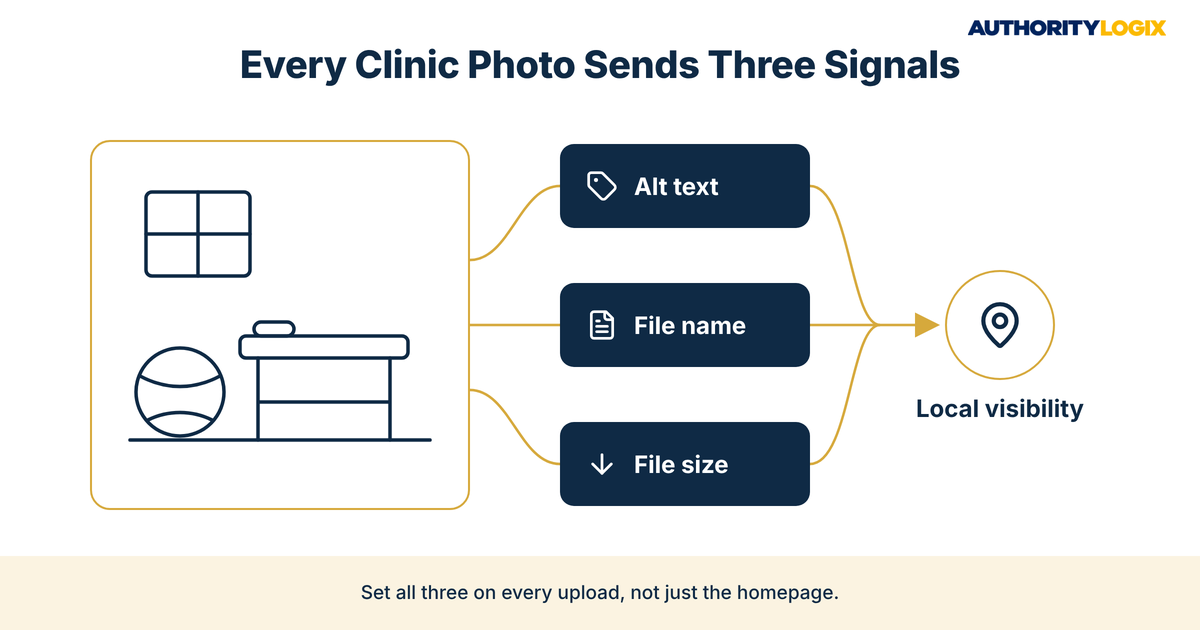
- PT website image optimization is three jobs done on every photo, alt text, file names and compression, so Google and local patients can see what your clinic is and where it is.
- Google calls alt text the most important attribute for adding image metadata, so PT image alt text should describe the photo plainly instead of repeating keywords.
- Generic file names like image1.jpg tell Google nothing about your clinic, while short, descriptive names give every photo context before anyone reads the page.
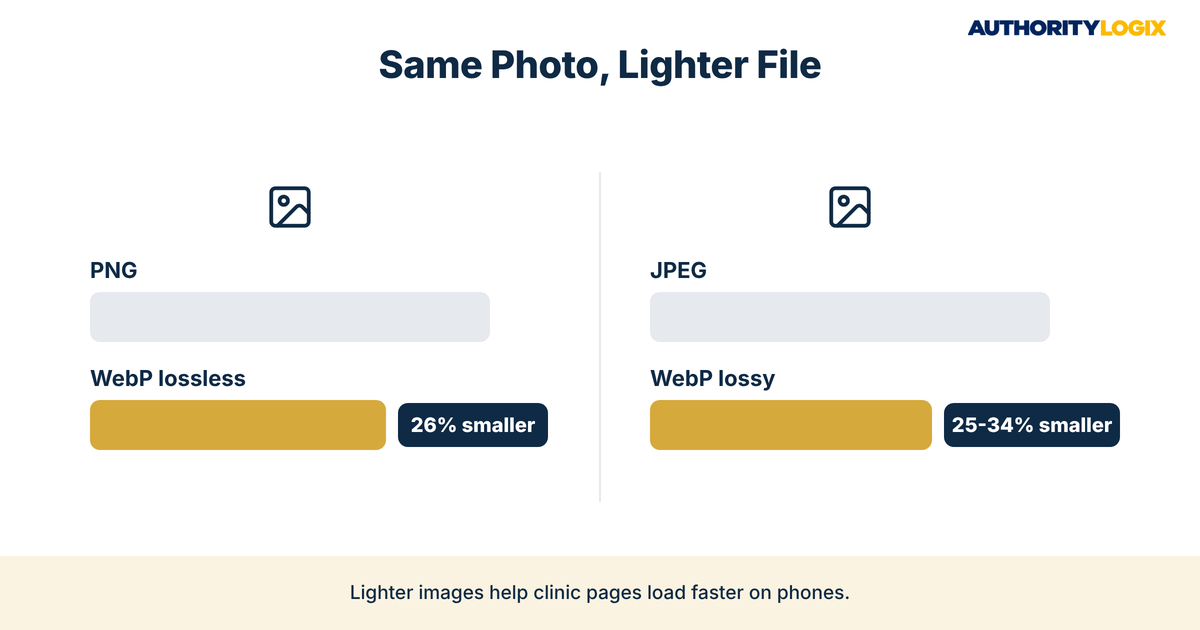
- According to Google, WebP lossless images are 26% smaller than PNGs, which is why format choice belongs in every PT website image optimization plan.
- Physical therapy image SEO works best on real team, facility and treatment room photos, with no patient details in any file name or alt text.
- A written PT website image optimization workflow lets any staff member handle every upload the same way.
Table of Contents
Why PT Website Image Optimization Affects Local Rankings
PT website image optimization is rarely the first thing a practice owner thinks about, yet every photo on your site sends signals to Google whether you set them or not. You have spent years earning the trust of patients and referring providers, and your clinic photos should reflect that. Instead, many practice sites upload camera files named IMG_4471.jpg with no description, which leaves the clinic credible but invisible and weakens the signals that feed local search.
Google Search Central says Google extracts information about the subject matter of an image from the content of the page, including captions and image titles, and it asks site owners to place images near relevant text. A treatment room photo beside a paragraph about your knee services, with a clear file name and alt text, tells one consistent story about what your practice does and where.
That consistency is part of local visibility, because image signals add to everything else Google reads about your clinic, from location pages to your Google profile. PT website image optimization will not outrank a practice with stronger reviews and better pages on its own. What it does is remove a weak spot that many competing clinics leave untouched.
Images also carry literal weight. Every visitor has to download a full-resolution camera photo before the page feels usable, and a patient searching from a phone feels that delay first. Heavy photos drag down mobile speed, and a slow page can lose a prospective patient before the booking button appears.
Seen this way, PT website image optimization is not a design detail. It is infrastructure: a short set of rules applied to every image, so the site gets clearer and faster with each upload instead of filling with unlabeled, oversized files.
The Physical Therapy Content SEO Playbook shows how PT website image optimization fits with service pages, condition pages and keyword structure.
How Should You Write PT Image Alt Text That Helps Search and Patients?
PT image alt text has two readers: a person using a screen reader or a slow connection, and Google, which uses the text to understand what the image shows. Write for the person first, and PT website image optimization for search usually follows.
Google’s image guidance is direct on this point: it calls alt text the most important attribute when it comes to providing more metadata for an image. The same page asks for file names that are short, but descriptive, warns against generic names like image1.jpg, and lists the formats Google Images supports: BMP, GIF, JPEG, PNG, WebP, SVG and AVIF. Those three details, alt text, names and formats, form the core of PT website image optimization.
Google’s examples show the range: missing alt text and repeated keywords are marked bad, a single word is better, and a short phrase describing the scene is best. For a clinic, that means naming the scene, the service and, where it fits, the location.
Good alt text also mirrors the way your site already talks to patients. If your patient education pages explain what to expect at a first visit, the photos on those pages should describe the same things: the evaluation room, the therapist at work, the equipment a new patient will see. Alt text that matches its page reinforces the topic.
PT Image Alt Text Examples for Clinic and Staff Photos
The table below shows PT website image optimization in practice, comparing weak and stronger descriptions for common photos. Replace the bracketed details with your own.
| Photo | Weak alt text | Stronger alt text |
|---|---|---|
| Front entrance | clinic | Front entrance of [Practice Name] physical therapy clinic in [City] |
| Treatment room | pt physical therapy best pt clinic pt | Private treatment room with table and exercise equipment at [Practice Name] |
| Therapist at work | (left empty) | Physical therapist guiding a shoulder exercise in the [City] clinic gym |
| Staff headshot | headshot | [Clinician Name], DPT, physical therapist at [Practice Name] |
| Rehab gym | image1 | Open rehab gym with parallel bars and free weights at [Practice Name] |
Writing alt text well follows the same thinking that shapes strong meta titles on your pages: lead with what the reader needs, name the place once, and stop. Alt text stuffed with every phrase a practice wants to rank for reads as spam to Google and noise to a screen reader user, so PT website image optimization rewards restraint.

What File Names Tell Google About Your Clinic Photos
A file name is the first label an image gets, and on many practice sites the camera chooses it, which is how a media library fills with DSC0032.jpg and final-v2.png. Renaming files before upload takes seconds and turns each one into an accurate description of what it shows.
Keep names short, lowercase and separated by hyphens, and match them to the page where the image will live. A photo for your knee pain page might be knee-rehab-treatment-room-[city].jpg. Avoid cramming every service into one name, because PT website image optimization calls for a clear description, not a keyword list.
File naming only stays consistent when it is written into your content systems rather than left to whoever uploads that day. A simple rule, page topic plus subject plus location, gives everyone on staff the same pattern, and a year from now the media library still makes sense.
Photos matter outside your website too. Images you add to your Google Business Profile are part of how patients judge your clinic before they call, and Google’s Business Profile help page sets clear limits for them: JPG or PNG files between 10 KB and 5 MB, with a recommended resolution of 720 px tall by 720 px wide. It also asks that photos be in focus and well lit, so they represent reality.
Treat the profile and the website as one image library, so patients see the same clinic in both places. Applying PT website image optimization to both keeps them in step.
Does PT Image Compression Rankings Impact Really Exist?
Owners who search for PT image compression rankings advice find two extremes: vendors promising jumps in position and skeptics who say file size does not matter. Compression does not earn rankings by itself, but Google Search Central notes that images are often the largest contributor to overall page size, which can make pages slow, and it points site owners to PageSpeed Insights to check their pages.
A slow page and a fast page with the same content are not the same experience for a patient on a phone. That is the real case for PT website image optimization: it protects the experience your content and reviews have already earned.
PT website image optimization also matters wherever your images travel. Photos reused in patient guides, partner newsletters and social posts as part of authority distribution should go out at sensible sizes, so every channel that points back to your practice loads cleanly.
Image weight belongs in the same review as page speed, not in a separate design ticket. In our process, images are checked when a page is built and again when it is updated, so file size does not creep back up.
Choosing Formats Like WebP and AVIF
Format choice is the easiest compression win available. Google’s WebP documentation reports that WebP lossless images are 26% smaller in size compared to PNGs, and that WebP lossy images are 25-34% smaller than comparable JPEG images at equivalent quality. Google Images also supports AVIF, a newer format worth testing.
Use JPEG or WebP for photos and PNG or SVG for logos, keeping the file extension matched to the real file type. Size each image to the largest width it will actually display at, so the browser is not shrinking a huge file on every load.
Not sure whether heavy, unlabeled photos are holding your clinic back? The assessment shows where your PT website image optimization and wider visibility stand today.
Physical Therapy Image SEO for Team, Facility, and Treatment Room Photos
Physical therapy image SEO starts with having the right photos to optimize. Stock images of models in generic gyms tell Google and patients nothing about your clinic. Real photos of your team, your entrance, your treatment rooms and your gym floor give every page something specific to describe.
Team photos do the most work. A clear headshot for every clinician, named with their credentials and described accurately, connects the people on your about page with the expertise your PT marketing already promotes. A real face with a real name builds more confidence than a logo.
Facility and treatment room photos answer practical questions before anyone calls: where to park, which door to use, what the gym looks like. Describe them plainly and place each one where that question comes up, such as your contact or new-patient page. That placement is PT website image optimization at its most useful.
Photos that show patients need extra care. Use them only with written consent under your own privacy policy, and never put a patient’s name, condition or any identifying detail in a file name, alt text, title or description field. Photographing staff with equipment instead keeps physical therapy image SEO free of privacy risk.
PT website image optimization rules apply to educational pages too. Diagrams, equipment photos and clinic shots inside an educational hub should be named and described for the topic of each article, so the hub builds image signals around the services you want to be known for.
Building a PT Website Image Optimization Workflow Your Staff Can Follow
Most image problems are not knowledge problems. Someone on staff uploads a photo in a hurry, skips the alt text and moves on, and a year later the site holds hundreds of files nobody can identify. A written PT website image optimization workflow fixes that by making the right steps the default, whoever does the upload.
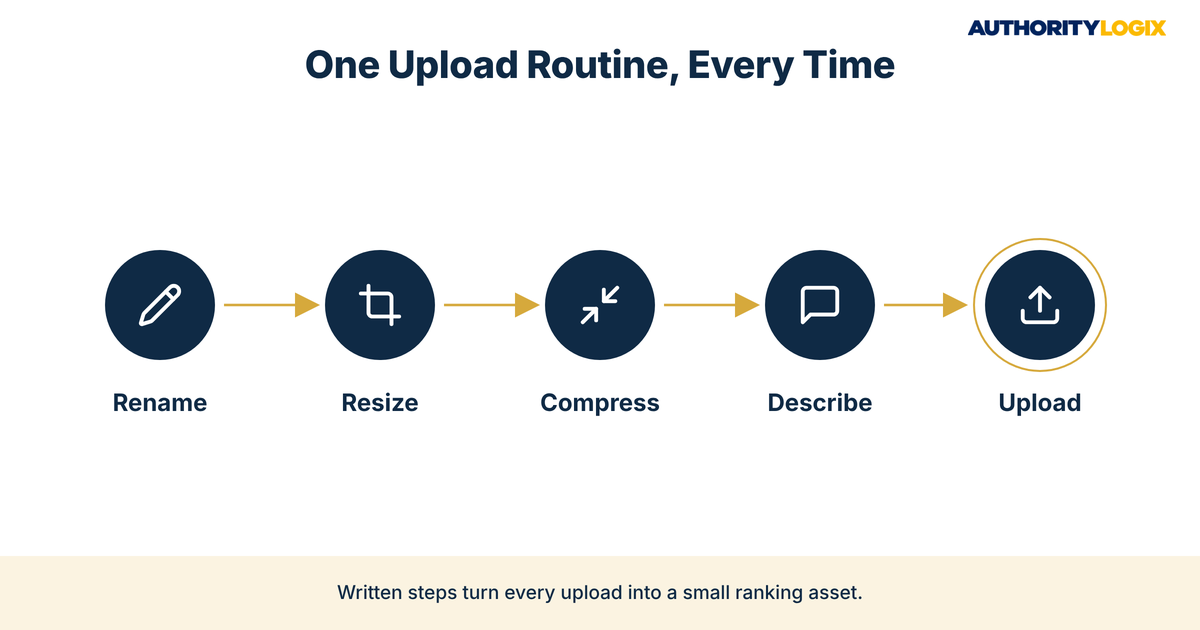
Keep the workflow short enough that it actually gets used: rename, resize, compress, describe, upload. Each step takes seconds once it is routine, and the order matters, because resizing and compressing before upload keeps heavy originals out of the media library.
Practices that would rather not manage this in-house can hand it off as part of our services, where image handling is built into every page. Either way, the rules should be written down, because the value of PT website image optimization comes from doing it every time, not once.
Consistency here supports patient acquisition in a quiet way. Every page that loads quickly and shows real, well-described photos gives a prospective patient one less reason to call another practice.
AuthorityLogix applies the same principle to its own proof-of-concept build. BKDSCR.com, the real estate education platform we built with 18 pillar pages and 48 posts, is why we treat publishing as a written process: a library that size only stays consistent when every step repeats.
A Monthly PT Website Image Optimization Checklist
Once a month, set aside a short session for an image review. It catches problems before they pile up and keeps PT website image optimization from turning into a once-a-year cleanup project.
- Check that every image added this month has a short, descriptive file name.
- Confirm alt text is present on each image and describes the photo, with no keyword lists.
- Run your busiest pages through PageSpeed Insights and note any oversized images.
- Convert large PNG or JPEG photos to WebP where your site supports it.
- Replace stock or outdated photos with current team and facility images.
- Update your Google Business Profile with the same well-lit, accurate clinic photos.
Frequently Asked Questions About Physical Therapy Image SEO
How do I write SEO-friendly alt text for clinic photos?
Describe what the photo shows in a short phrase, the way you would explain it to someone who cannot see it. Include the service or location only where it fits naturally, and never repeat keywords.
How does image compression affect SEO for a physical therapy website?
Compression keeps pages light, so they load quickly for patients on phones. It is not a ranking shortcut on its own, which is why the guides in our PT resources library treat it as one part of PT website image optimization.
What size should Google Business Profile photos be?
Google’s Business Profile help page recommends 720 px tall by 720 px wide, in JPG or PNG files between 10 KB and 5 MB. Photos should be in focus and well lit, without heavy filters.
Can I use patient photos on my practice website?
Only with clear written consent, and even then, keep names, conditions and any identifying detail out of file names and alt text. Careful privacy handling in marketing is one of the reasons why practices choose a partner that already works within healthcare guardrails.
Ready to have every clinic photo renamed, described and compressed so your website and Google profile support local visibility?
Making Every Clinic Image Work for Local Visibility
PT website image optimization is one of the smallest jobs in local search, and that is exactly why it gets skipped. Each fix is minor, but a site where every photo is named, described and sized correctly sends a cleaner signal than one where images say nothing. Over time, that care adds to the authority growth a practice builds through its pages, reviews and profile.
None of this replaces strong service pages or a steady stream of reviews. It supports them, and it makes the rest of your lead generation work load faster and look more trustworthy when a prospective patient lands on it.
The honest assessment is that most practices already have the photos and the expertise. What is missing is the habit of treating each image as part of the infrastructure, so PT website image optimization happens on every upload and your clinic finally looks, to Google and to patients, the way it does in person.