


Key Takeaways
- Physical therapy Google Analytics shows which pages prospective patients read, where they leave, and which visits end in a call, form or booking request.
- A clean PT website analytics setup starts with one practice-owned GA4 property and a link to Search Console.
- Mapping the physical therapy patient journey inside GA4 turns scattered page views into a path from first search to evaluation request.
- According to Google, you mark an event as a key event with the star icon under Admin > Data display > Events, and standard reports can take up to 24 hours to show it.
- A physical therapy Google Analytics setup must keep patient details out of the data, especially on appointment scheduling pages.
- The value of physical therapy Google Analytics comes from acting on it: fixing pages that lose visitors and building more pages that lead to evaluations.
Table of Contents
Physical therapy Google Analytics is where your website tells the truth about prospective patients, yet most practices install it once and never open it again. You have the clinical credibility and a professional site, but you cannot say which pages bring evaluation requests. A website only becomes part of your lead generation system when you can see what it is doing.
This guide covers physical therapy Google Analytics from the owner’s side: setup, the patient journey, call and form tracking, the reports worth reading, and the privacy rules a healthcare site must respect. The goal is not more dashboards. It is a short list of numbers that show where new patients come from and where they get stuck.
What Physical Therapy Google Analytics Reveals About Prospective Patients
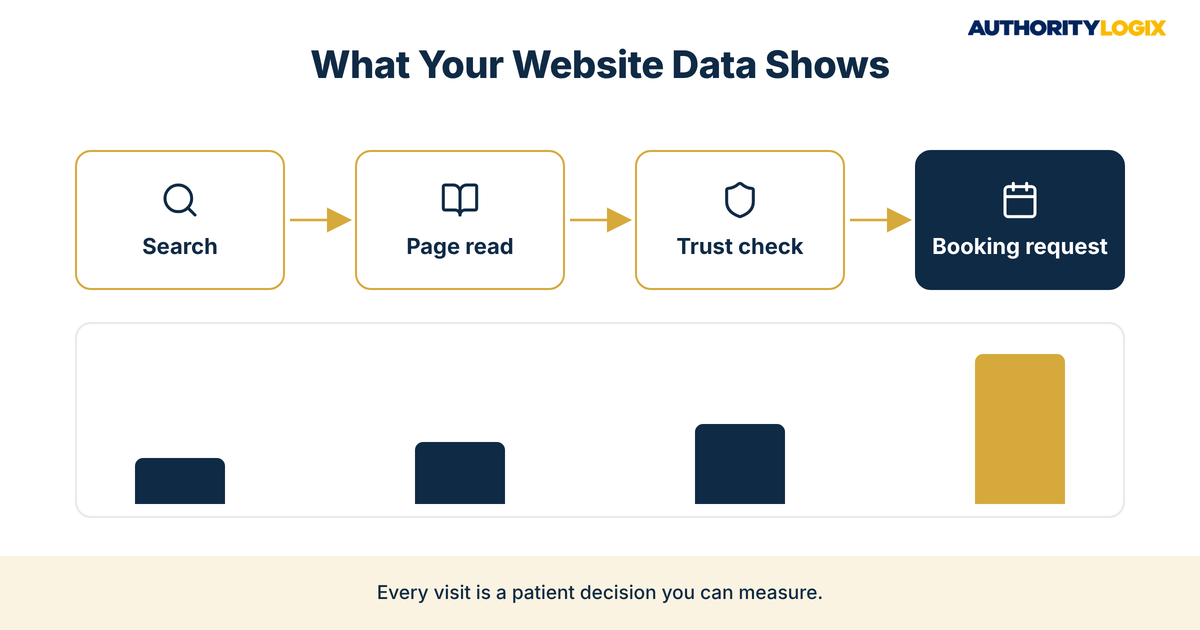
Every visit to your site is a prospective patient making a decision. Someone with a sore shoulder searches, lands on a condition page, checks your insurance page and then calls or leaves. Physical therapy Google Analytics records that path in aggregate, so you see patterns instead of guessing from the few people who mention your website at intake.
That view changes how you think about patient acquisition. Instead of asking whether the website works, you ask sharper questions. Which pages do people read before they request an evaluation? Which service pages get visits but no calls?
Search is usually where the path begins. What visitors from Google Maps do after they land shows whether your local search work attracts the right people. A practice can rank well and still lose those visitors if the page they reach does not answer their question.
Most practices are credible but invisible online, and physical therapy Google Analytics is how you measure that gap instead of arguing about it. The numbers do not replace clinical judgment or front-desk experience. They show where the website helps your team and where it works against them.
The Physical Therapy Content SEO Playbook shows how condition pages, service pages and educational articles fit together, so the pages your physical therapy Google Analytics reports flag can be fixed inside one system.
PT Website Analytics Setup: Getting GA4 Right the First Time
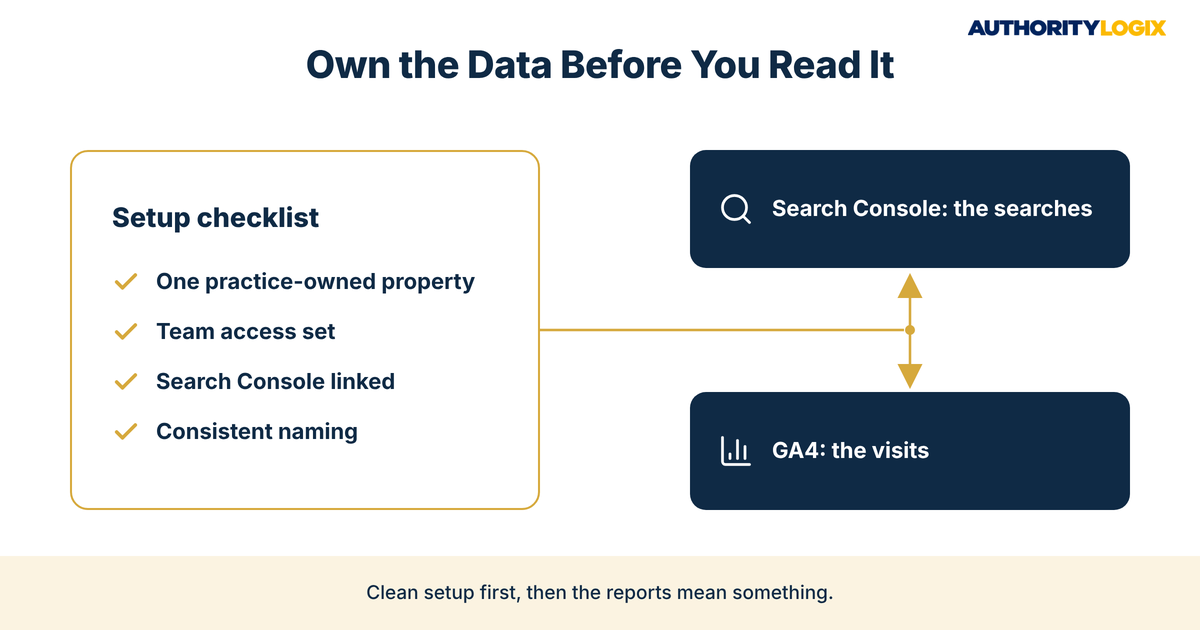
A PT website analytics setup usually goes wrong before any data arrives. Practices end up with a property owned by a former web designer, an old Universal Analytics tag in the site header, or two tracking codes doubling every visit. Start by confirming that one GA4 property sits under a practice-owned Google account, with your team added as users.
Ownership matters. If the agency that built your site owns the property, your history leaves when they do. A sound setup is the first step in our process, because every later decision depends on data you control.
Next, decide what the physical therapy Google Analytics property needs to see: the main site, any separate booking page and each location page, all under one property. If your scheduling tool runs on another domain, ask your developer whether it can be measured without sending patient details.
Finally, name things consistently so reports stay readable a year from now. The same discipline that keeps content systems organized keeps your analytics clean when someone new opens the reports.
Connecting GA4 to Search Console
Google Analytics shows what people do after they arrive, and Search Console shows the searches that brought them. Linking the two in your PT website analytics setup puts those views side by side. That is the difference between knowing a page ranks and knowing it brings patients.
Search Console also flags indexing problems and pages that appear in results but rarely get clicked. Reviewing both tools together once a month is enough for most practices. It keeps physical therapy Google Analytics grounded in how patients actually search.
How to Map the Physical Therapy Patient Journey Inside GA4
The physical therapy patient journey usually has four stages online: a search for a symptom or a clinic, a visit to an educational or service page, a check on trust signals such as reviews, clinicians and insurance, and a request to book. Mapping those stages inside physical therapy Google Analytics gives you a simple frame for every report you read.
The full patient journey runs from first symptom search to the first visit, but your website covers only part of it. The table below maps the pages you control.
| Journey stage | Typical pages | Signal to watch in physical therapy Google Analytics |
|---|---|---|
| Search and first visit | Condition pages, location pages, home page | Landing page and the channel that sent the visit |
| Learning | Educational articles, service pages, FAQs | Time on page and the next page viewed |
| Trust check | Clinician bios, reviews, insurance page | Visits to these pages before a booking request |
| Booking decision | Contact page, booking page, phone number | Calls, forms and booking requests marked as key events |
Learning-stage pages deserve special attention. Visitors who read a condition page and then open a clinician bio or booking page are telling you the page did its job. Pages built for patient education should lead somewhere specific, and the next-page data shows whether they do.
Mapping the physical therapy patient journey this way also exposes gaps. If many visitors reach the trust check but few request a booking, the booking step is probably the problem. Physical therapy Google Analytics will not tell you why, but it tells you exactly where to look.
Not sure where your website loses prospective patients? The assessment reviews your visibility, content and booking path, and shows what your physical therapy Google Analytics data should be telling you.
PT Conversion Tracking Setup for Calls, Forms, and Booking Requests
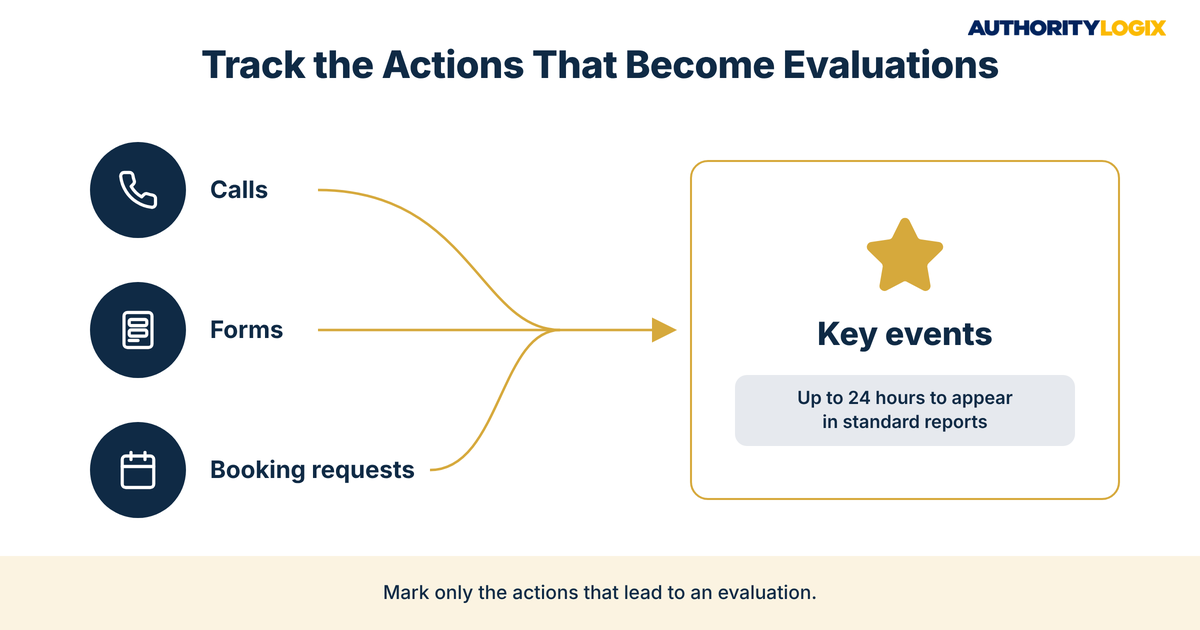
Without a PT conversion tracking setup, GA4 counts visitors but cannot tell you which visits became evaluation requests. The actions that matter are few: phone calls, appointment forms and online booking requests. Every other physical therapy Google Analytics report should be measured against those three.
Phone calls are the hardest to measure. A tap on a click-to-call link can be tracked as an event in physical therapy Google Analytics, usually with Google Tag Manager. Calls from someone who wrote your number down will not appear, so treat call data as a floor.
Forms are where most practices lose the most data. Your contact forms should send visitors to a thank-you page after they submit, because that page gives GA4 a reliable signal that a request went through. Forms that never load a new page usually need Google Tag Manager.
Marking Form Submissions as Key Events
GA4 now calls these important actions key events, although many older guides still use the word conversions. A common approach, described in Semrush’s GA4 guide, is to create a custom event named generate_lead that fires when someone views the thank-you page. That event becomes the form submission you track in every physical therapy Google Analytics report.
The final step is marking it. According to Google’s help page on how to mark key events, you click the star icon next to the event under Admin > Data display > Events, the change applies from that point forward without changing historical data, and standard reports can take up to 24 hours to show the key event.
The same page says a standard property can mark up to 30 events as key events, and marking an existing event requires Editor access or above. Keep the list short so your PT conversion tracking setup stays readable.
Visitors from your Google Business Profile deserve their own label. Adding a campaign tag to the website link on your profile makes local visibility measurable inside GA4 instead of a guess. You can then compare how profile visitors book against organic visitors.
Which Physical Therapy Google Analytics Reports Deserve Your Attention?
GA4 includes far more reports than a practice will ever use. The physical therapy Google Analytics reports that deserve a monthly look answer three questions: where visitors came from, which pages they landed on, and which of those visits led to a call, form or booking request. Everything else is detail you can explore when a specific question comes up.
Traffic Acquisition vs Landing Page Reports in Physical Therapy Google Analytics
The traffic acquisition report groups visits by channel, such as organic search, direct, referral and social, and shows which channels produce key events. The landing page report shows the first page each visitor saw. Read together, these physical therapy Google Analytics reports show whether a channel is weak or the page it sends people to is.
A condition page with steady organic visits and no key events is a common finding. The page attracts the right people and gives them nowhere to go, a form of website abandonment that new visitors alone will not fix. A clear next step often matters more than another article.
Educational pages need a different lens. Many visitors read an article, leave and return later by searching your practice name. When your educational hub pages show steady organic visits and visitors moving on to service or clinician pages, they are doing their job even if bookings come later.
Keep the review short and regular. A brief monthly look at the same few reports builds more understanding than an occasional deep dive, because you start to notice when something changes. Physical therapy Google Analytics rewards consistency far more than complexity.
Keeping Analytics Privacy-Safe for a Healthcare Practice
Healthcare websites carry privacy obligations that a retail site does not. The Office for Civil Rights at the U.S. Department of Health and Human Services has issued a bulletin on the use of online tracking technologies by HIPAA covered entities and business associates. This is a marketing overview, not legal advice, so review your physical therapy Google Analytics setup with your compliance adviser.
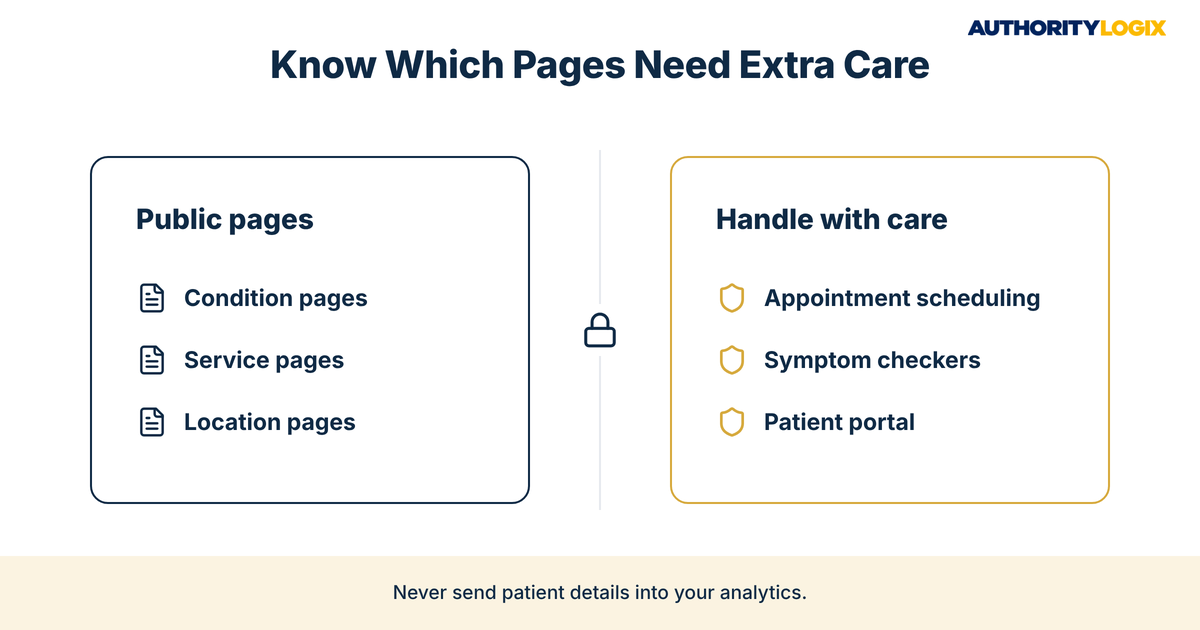
The bulletin says tracking technologies on many unauthenticated webpages do not have access to protected health information, but some can, naming pages where people schedule appointments or use symptom checkers. It also says tracking technology vendors must have signed a business associate agreement, and that an agreement alone is not enough without an applicable permission.
On June 20, 2024, a federal court vacated a portion of that guidance, the part covering an IP address linked to a visit to an unauthenticated public page about health conditions or providers, and HHS says it is evaluating its next steps. Login pages and pages where people schedule or share health details still deserve the most care.
In practical terms, keep forms from sending names, conditions or other personal details into page addresses or event names, and keep tracking off patient portal pages unless your compliance review clears it. Email, social posts and syndicated articles sent through authority distribution should carry campaign tags that describe the campaign, never the person who clicked.
Some practices choose analytics tools built for healthcare privacy, while others limit GA4 to public pages. Either way, write the decision down so a routine update does not add tracking where it should not be. Privacy limits belong at the foundation of any website work, including our services.
Frequently Asked Questions About GA4 for PT Clinics
Is GA4 HIPAA compliant?
Compliance depends on what your setup collects and the agreements in place, not on the tool alone. HHS guidance says regulated entities must ensure tracking technology vendors have signed a business associate agreement, so check current terms with your compliance adviser.
Can you use GA4 without Google Tag Manager?
Yes, for the basics. The standard GA4 tag measures page views on its own, and the thank-you page method lets you track form submissions without extra tools. Button clicks and forms that do not load a new page usually need Google Tag Manager.
What are GA4 events and key events?
Events are the individual actions GA4 records, such as a page view, a click or a form submission. Key events are the few you mark as most important for your practice, such as calls, forms and booking requests.
Is Google Analytics 4 easy to learn?
The full tool takes time, but the parts a practice needs are manageable. If you focus on traffic acquisition, landing pages and your key events, you can read your physical therapy Google Analytics data with confidence after a few monthly reviews. The content side those reports point to is covered across our PT resources library.
How does website data help a practice that relies on physician referrals?
It shows how many new patients already find you on their own. Direct-access visitors who search and book are a pipeline you can grow. That visibility is the core of PT marketing that reduces dependence on a few referring offices.
Ready to build the tracking, pages and booking path that show exactly which parts of your website turn visitors into evaluation requests?
Turning Website Behavior Data Into Better Patient Acquisition Decisions
Physical therapy Google Analytics is only useful when the numbers change what you build next. A condition page that attracts visits and no bookings needs a clearer next step, and a clinician bio that shows up before many booking requests deserves a link from every related page. Each of those decisions is a step toward authority growth that builds on itself instead of resetting every month.
AuthorityLogix built its own proof of concept, BKDSCR.com, a real estate investment education platform, with 18 pillar pages, 7 interactive tools and 48 posts and zero paid ads. The industry is different, but the principle holds: every page should have a job, and the data shows whether it does.
The honest assessment is that most practices already have the clinical credibility and enough website visitors to learn from. What is missing is a setup they trust and the habit of reading it, which is why practices choose to have that infrastructure built once and built correctly. Physical therapy Google Analytics will not bring patients by itself, but it shows you exactly where the next patient is being lost.