


Key Takeaways
- Your physical therapy website builder sets the ceiling on how far your SEO can go, but content, structure and local signals decide most of where you rank.
- Website builder SEO limits usually surface months after launch, in URL control, structured data, page speed and access to files such as robots.txt.
- According to Semrush, Squarespace offers customizable meta tags, URL structures, image alt tags and built-in XML sitemaps, which it says allow for basic to intermediate SEO.
- Wix’s own SEO guide says Wix sites automatically add structured data for many common content types and let owners add custom JSON-LD markup.
- WordPress is not a simple physical therapy website builder; it gives a practice the most control over URLs, templates and schema, and asks for the most maintenance in return.
- Move off a physical therapy website builder only when a specific limit blocks a specific growth plan, and protect existing rankings with redirects.
Table of Contents
Does Your Physical Therapy Website Builder Decide How Well You Rank?
Your physical therapy website builder shapes how much of your clinical credibility search engines can actually see. Most practice owners choose a platform for its templates, its price or a colleague’s recommendation, and only later discover what it will and will not let them control. When a clinic with half your experience outranks you in local search, the cause is often structural: their site gives Google clearer signals, and yours cannot.
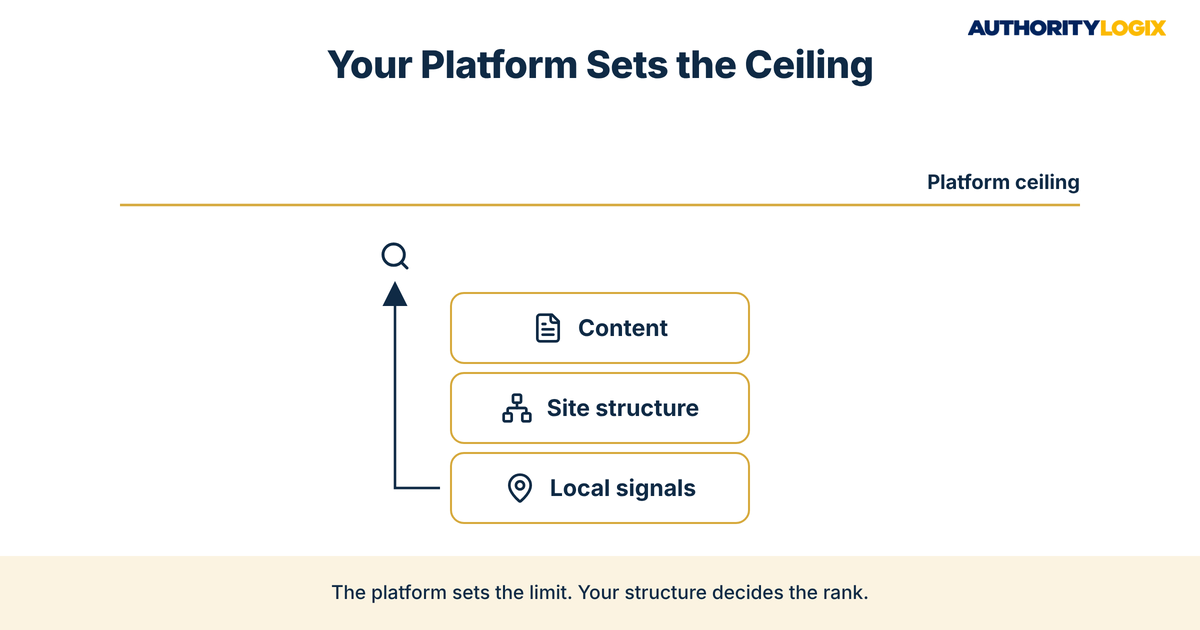
The physical therapy website builder is not the whole story. A well-planned site on a simple builder can beat a neglected site on the most flexible system available, because rankings come from content, structure, local signals and trust working together. What the platform decides is the ceiling — how far you can push those signals before the software stops you. That is how a practice ends up credible but invisible: excellent care, a busy schedule, and a website that search engines cannot read well.
The physical therapy website builder ceiling matters more as a practice grows. A single-location clinic with a handful of service pages rarely hits it. A practice that wants condition pages, clinician bios, location pages and an article library built through repeatable content systems will hit it quickly, and every limit becomes a workaround someone has to maintain.
The real question is not which physical therapy website builder is best in the abstract. It is which one supports the patient acquisition plan you actually have — direct-access patients searching for help, referral sources checking credentials, and returning patients looking for a booking page. The sections below walk through where each common platform helps and where it holds you back.
The Physical Therapy Content SEO Playbook lays out the pages, structure and publishing system a practice needs to rank, so you can judge any physical therapy website builder against what your site actually has to carry.
Website Builder SEO Limits Most Practice Owners Discover Too Late
Website builder SEO limits rarely show up on launch day. The templates look clean, the editor is easy, and the site goes live in a weekend. The limits of a physical therapy website builder appear months later, when you try to add a page type the template never planned for, change a URL the platform locks, or add markup the editor does not expose.
Most of these limits fall into four groups: control over URLs and page hierarchy, control over code and structured data, control over performance, and access to the files search engines read first. Robots.txt is a good example. Octiv Digital notes that Squarespace generates a robots.txt file automatically but does not let users edit it, which is fine for most clinics and a real constraint for the few that need it.
Platform differences have shown up in research, too. A 2019 FreshChalk analysis of 150,000 small business websites, reported by Search Engine Land, found that Wix had the slowest page speed among the large small-business site builders, while sites hosted on WP Engine had the best median ranking, followed by Squarespace. Search Engine Land cautioned that the study needs to be replicated, and every platform has changed since then. The lesson is not that one brand wins; it is that platform choice showed up in the data at all.
Schema, Speed, and URL Control as Physical Therapy Website Builder Tests
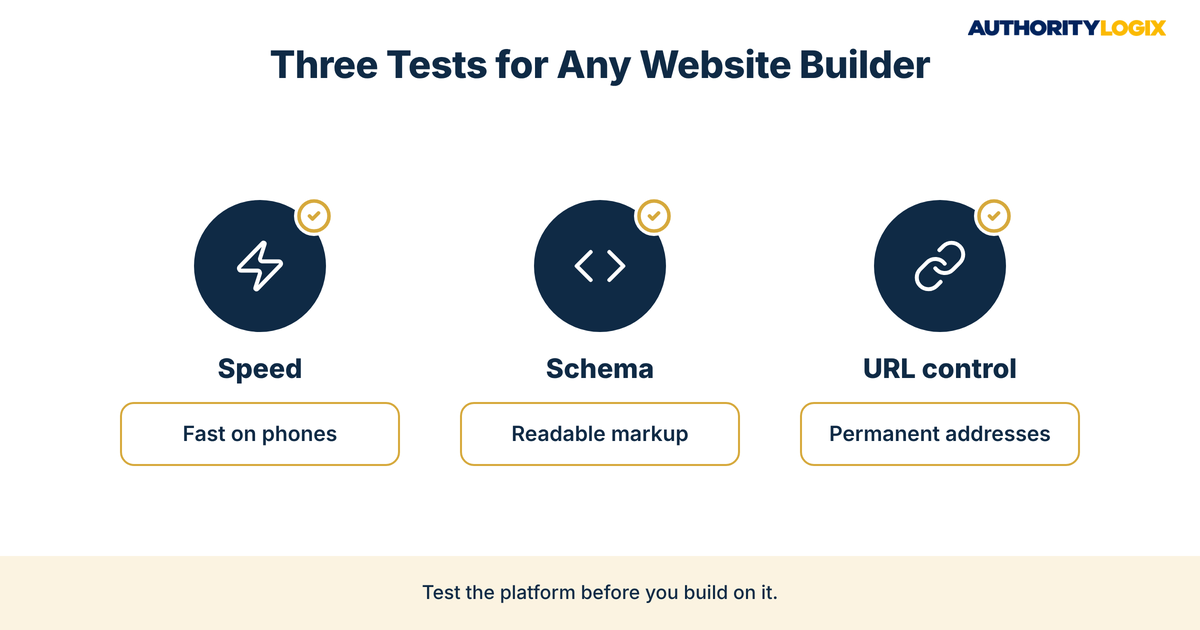
Three tests separate a physical therapy website builder that grows with you from one that caps you. The first is speed: whether you can compress images, limit third-party scripts and keep pages quick on a phone, because a slow page loses a prospective patient before they read a word about your clinicians. Strong site speed is mostly about what the platform lets you remove.
The second test is structured data. Search engines read schema markup to understand that a page describes a local business, a clinician or a set of frequently asked questions, and some builders add a little automatically while others let you write your own. The third test is URL control — whether you can set a clean, permanent address for every service and condition page and redirect old addresses when you restructure.
Run any physical therapy website builder through those three tests before you sign up, and again before you renew. The answers tell you whether the website builder SEO limits you will meet are minor inconveniences or permanent walls.
Squarespace SEO for Clinics: What It Handles and What It Doesn’t
Squarespace SEO for clinics starts from a solid base. According to Semrush, Squarespace offers customizable meta tags, URL structures, alt tags for images and built-in XML sitemaps. Those are the fundamentals most small practice sites need on day one.
Semrush is also measured about the ceiling. In its builder review, Semrush says of those Squarespace features: “While less extensive than WordPress plugins and features, these features allow for basic to intermediate SEO optimization.” That is a fair summary for a practice deciding how far the platform can take it.
For a single-location practice, basic to intermediate is often all a physical therapy website builder needs to deliver. You can write a unique title and description for each service page, name images properly, and keep your Google Business Profile and website consistent, which covers much of the local visibility work a small clinic needs.
Where Squarespace SEO for clinics gets harder is depth. Octiv Digital calls Squarespace’s closed environment “a major limit to its flexibility,” and that shows up when a practice wants custom page types, detailed schema or a large article library. A clinic planning a full educational hub with condition guides, patient FAQs and clinician articles should map those page types against the template before committing.
None of this makes Squarespace a poor choice. It makes it a deliberate one: strong for a polished, focused site, and narrower once a physical therapy website builder has to support dozens of interlinked pages.
Wix SEO for Healthcare: Strengths, Gaps, and Workarounds
Wix SEO for healthcare has improved more than many practice owners realize. Semrush describes Wix SEO Wiz as a built-in tool that guides users through optimizing a site for search engines, and notes that Wix automatically ensures sites are mobile-friendly. For an owner who manages the site personally, that guidance lowers the chance of leaving titles and descriptions blank.
Structured data is another strength. Wix’s own SEO Learn guide, written by Crystal Carter, says Wix sites automatically add structured data for many common content types, including blog posts and events pages, and add Local Business markup to the home page once the business information includes a name and address. The same guide explains that owners can add custom JSON-LD markup through SEO settings, which suits clinician pages and patient education articles.
The gaps in Wix SEO for healthcare are mostly about performance and long-term flexibility. The 2019 FreshChalk data placed Wix last on speed among the large builders, and while the platform has changed since, any practice on Wix should test its own pages rather than assume. Heavy apps, large image galleries and embedded widgets slow pages on every builder, and Wix makes them easy to add.
The workaround is discipline. Keep apps to the ones that support booking and lead generation, compress every image, and use custom markup sparingly and correctly — the Wix guide is clear that only valid structured data markup can be submitted. Run this way, Wix can be a capable physical therapy website builder for a small or mid-sized practice.

Not sure whether your current physical therapy website builder is the reason your practice is hard to find? The assessment shows where your site’s structure, speed and local signals fall short and what to fix first.
How WordPress Compares When Practices Need Full Control
WordPress sits at the other end of the physical therapy website builder range. It gives you control over URLs, templates, structured data and performance, plus the extensive plugins and features that Semrush contrasts with Squarespace’s built-in set. That control is the reason to choose it, and it is also the reason it asks more of you.
Control means responsibility. Someone has to update plugins, manage hosting, keep the theme fast and watch for conflicts, which is a cost a small clinic may not want. The payoff comes when your site architecture needs to grow: service pages, condition pages, location pages and clinician bios that link to each other in a deliberate pattern.
AuthorityLogix’s own proof-of-concept shows why structure matters at scale. BKDSCR.com, a real estate investor education platform, carries 18 pillar pages, 7 interactive investor tools and 48 blog posts, and it was built with zero paid ads in under 18 months. A build that size only works when every page has a defined place, a defined job and a link to the next.
Full control matters most when content has to travel. Articles repurposed for email, social channels and partner newsletters through authority distribution need clean, stable URLs and consistent templates, and a flexible platform makes that easier to sustain over years rather than months.
Choosing a Physical Therapy Website Builder Based on Growth Plans
The right physical therapy website builder depends on where the practice is going, not where it is today. A clinic with one location and no plans for an article library has different needs from a group planning new locations and a condition-page program. Match the platform to your next stage of growth, not the next few weeks.
| Growth plan | Physical therapy website builder fit | What to watch |
|---|---|---|
| One location, small service menu | Squarespace or Wix | Template limits on new page types |
| One location, steady article publishing | Wix or WordPress | Page speed as the library grows |
| Multiple locations | WordPress | Hosting and maintenance ownership |
| Large condition and service page program | WordPress | Plugin conflicts and update discipline |
Use the table as a starting point, then check it against how you actually work. If nobody on staff will touch the site, a simpler physical therapy website builder with fewer moving parts may outperform a flexible one that never gets maintained. That question is part of our process when we review a practice’s site: platform choice follows the plan and the people, not the other way around.
When Migrating Off a Physical Therapy Website Builder Makes Sense
Migration makes sense when the limits block a plan you have already committed to — new locations, a condition-page library, or structured data the current platform cannot carry. It does not make sense because a new platform looks more modern. Every move carries risk to existing rankings, so the gain has to be specific.
When the move is justified, plan it as an authority growth project, not a redesign. Map every old URL to its new address with permanent redirects, keep the page titles and content that already rank, and rebuild internal links before launch. A careful migration protects what the old site earned while removing the ceiling that held it back.

Frequently Asked Questions About Switching Platforms
Will switching website platforms hurt our Google rankings?
It can, if the move is handled carelessly. Rankings are tied to specific URLs, so a migration without redirects can drop pages that patients currently find. With every old address redirected and existing content preserved, most of that risk is manageable.
Is Squarespace bad for SEO for a small physical therapy clinic?
No. Squarespace covers the basics well — editable titles, descriptions, URLs, image alt text and a sitemap. It becomes limiting when a practice needs many custom page types or detailed schema, and that is the point where planning the structure before building, one of our services, pays off.
Is Wix good for SEO if most patients find us through Google Maps?
Wix can support local search, because its own guide says it adds Local Business markup to the home page once your business name and address are entered. Maps rankings also depend on your Google Business Profile, reviews and consistent listings, so the website is one part of that picture. Keep the site fast and the contact details identical everywhere.
Do patients care what platform our website runs on?
Patients rarely know which physical therapy website builder you use. They care whether the site loads quickly, answers their questions and makes booking easy. Practices that publish clear guides, like the ones collected in our PT resources library, give patients that confidence before they call.
Should we rebuild the site or fix the one we have?
Fix first when the current platform can carry your plan. Rebuild only when a specific limit blocks a specific goal, and treat the rebuild as a structure project rather than a new look.
Ready to build a website structure that clears the platform ceiling and turns your clinical expertise into local rankings and booked evaluations?
Picking a Platform That Supports Long-Term Practice Visibility
The honest answer is that your physical therapy website builder is rarely the main reason a practice stays hidden. Most clinics that struggle online have a platform that is good enough and lack the structure on top of it: clear service pages, condition content, consistent local signals and a plan for how pages connect. Fixing that structure is the core of PT marketing that keeps working without paid ads.
Where the platform does matter, it matters at the edges — speed, schema, URL control and the freedom to add page types as you grow. Choose the physical therapy website builder that clears those tests for your next stage, and revisit the choice only when a real limit blocks a real plan. That plan-first approach is why practices choose a systems partner over a template shop.
Most practices already have the clinical credibility. The website’s job is to make that credibility visible, and the physical therapy website builder’s job is simply to stay out of the way.